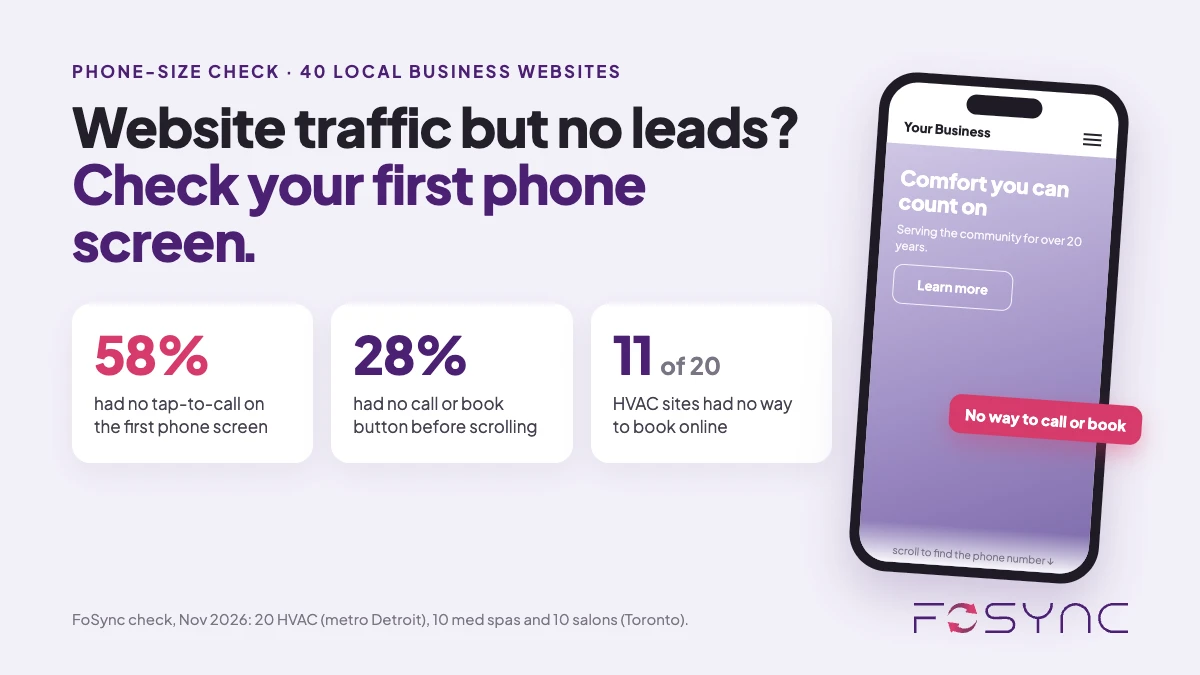
Website traffic but no leads is rarely a traffic problem. It is usually about what visitors see in the first few seconds on a phone. We checked 40 local service websites at phone size, and more than half made it harder to call than it should be.
Most people who find a local business on Google, Maps or an AI answer land on its website from a phone. They decide fast. If the next step is not obvious, they go back and tap the next result.
How We Tested 40 Websites With Traffic but No Leads
In November 2026 we opened the homepages of 40 local service businesses in a 390-pixel-wide frame, the width of a typical iPhone screen.
- 20 HVAC companies in metro Detroit
- 10 med spas in the Greater Toronto Area
- 10 hair salons and barbers in Toronto
For each homepage we recorded six things: a tap-to-call link anywhere on the page, a tap-to-call link on the first screen without scrolling, a call or book button on that first screen, a way to book online, a contact form, and reviews shown on the homepage. We replaced five sites that would not load or could not be checked.
One limit: we checked screen width, not a physical phone. A few website builders serve a separate mobile version to real devices, so a handful of results could differ.
What Did the 40 Websites Get Wrong?
| Gap on the homepage | All 40 | HVAC (20) | Med spa (10) | Salon (10) |
|---|---|---|---|---|
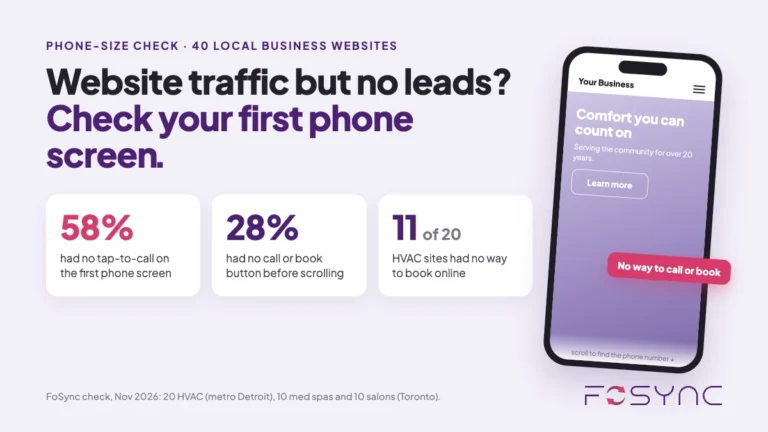
| No tap-to-call on the first phone screen | 58% | 9 | 5 | 9 |
| No reviews shown on the homepage | 45% | 7 | 6 | 5 |
| No online booking path | 33% | 11 | 0 | 2 |
| No tap-to-call link anywhere on the page | 28% | 5 | 2 | 4 |
| No call or book button on the first phone screen | 28% | 6 | 2 | 3 |
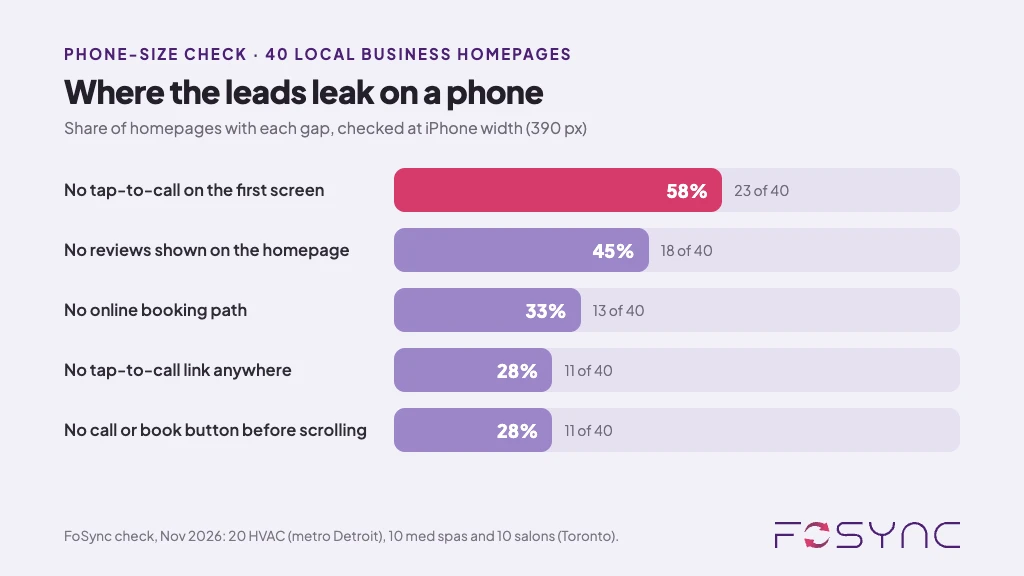
None of these sites looked broken. Most were modern and well designed. The leaks were in the small details that decide whether a visitor acts.
Why Do You Get Website Traffic but No Leads?
In our sample, website traffic but no leads came down to friction, not volume.
The phone number is not one tap away. On 23 of 40 sites, a visitor could not tap to call from the first screen. On 11 sites there was no tap-to-call link anywhere. The number was plain text, inside an image, or missing from the page text entirely.
There is no clear next step on the first screen. 11 of 40 homepages showed no call or book button before scrolling. The visitor sees a photo and a slogan, then has to go looking.
There is only one way to reach you. HVAC and salons failed in opposite directions. 11 of 20 HVAC sites had no way to book online, which loses the homeowner who searches at 10 p.m. and does not want to call. 9 of 10 salons sent everyone to a booking app but had no tap-to-call on the first screen, which loses the client with a quick question.
There is no proof near the decision. 18 of 40 homepages showed no reviews or testimonials. Visitors who came from Google have just seen your star rating. When the website does not repeat it, the trust built on Maps stops at your homepage.
How Do You Check Your Own Website in Five Minutes?
If you keep asking “why is my website not generating leads?”, run this check before you spend more on ads or SEO.
- Open your homepage on your phone, or in Chrome on a computer: right-click, choose Inspect, then turn on the device toolbar. Do not scroll. Can you call or book from this screen?
- Tap your phone number. The dialer should open with the number filled in.
- Try to book as a customer would at 10 p.m. Count the taps until you have a confirmed time.
- Send yourself a message through your contact form. Note how long the reply takes.
- Check your reviews. Can a visitor see your rating without leaving the homepage?
- Open Google Search Console, go to Performance, and look at the queries that bring visits. If most are your business name or unrelated topics, you also have a traffic-quality problem.
What Should You Fix First?
If you have website traffic but no leads, start with the changes that take an afternoon, not a redesign.
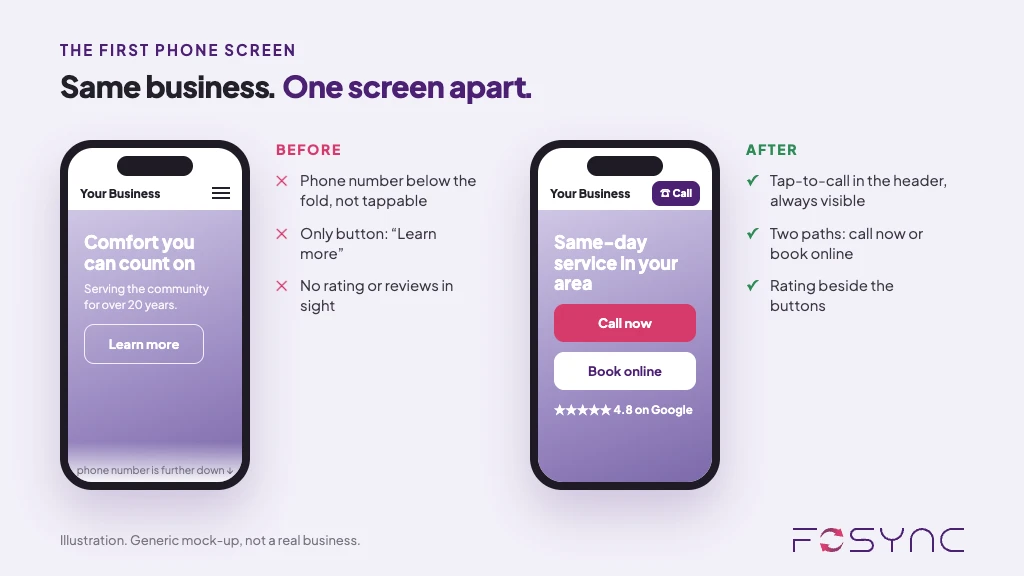
- Put a tap-to-call button in the header and keep it visible as people scroll. This was the most common gap in our check.
- Give the first screen one main action that matches how your customers buy. HVAC: call now and request service. Med spa: book a consultation. Salon: book now, with a call link beside it.
- Add a second path for people who will not call: online booking, or a short form with three fields.
- Show proof beside the button: your Google rating, the review count, and two or three short quotes.
- Measure clicks. Track taps on your phone link and booking button in Google Analytics, so you know which change brought calls.
Google uses the mobile version of a site’s content for indexing and ranking, according to its mobile-first indexing guidance. Your phone layout is the version that matters for search and for customers.
Is It a Traffic Problem or a Website Problem?
If you have website traffic but no leads, fix the website first. Sending more traffic to a page that leaks leads only raises your cost per lead.
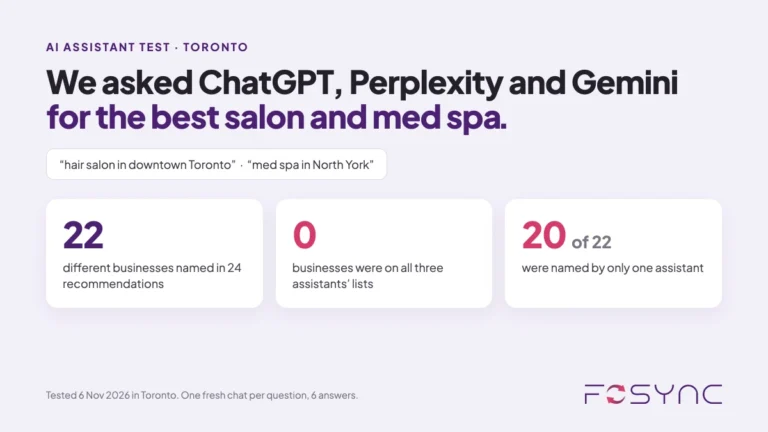
If you get few visits from searches like “service + your city”, the problem starts earlier: people are not finding you. Read why a business may not show up on Google Maps and what happened when we asked three AIs for the best hair salon in downtown Toronto.
Want both checked at once? Get a free findability report: we look at how your business shows on Google, Maps and AI answers, and what your website does with the visitors who arrive.